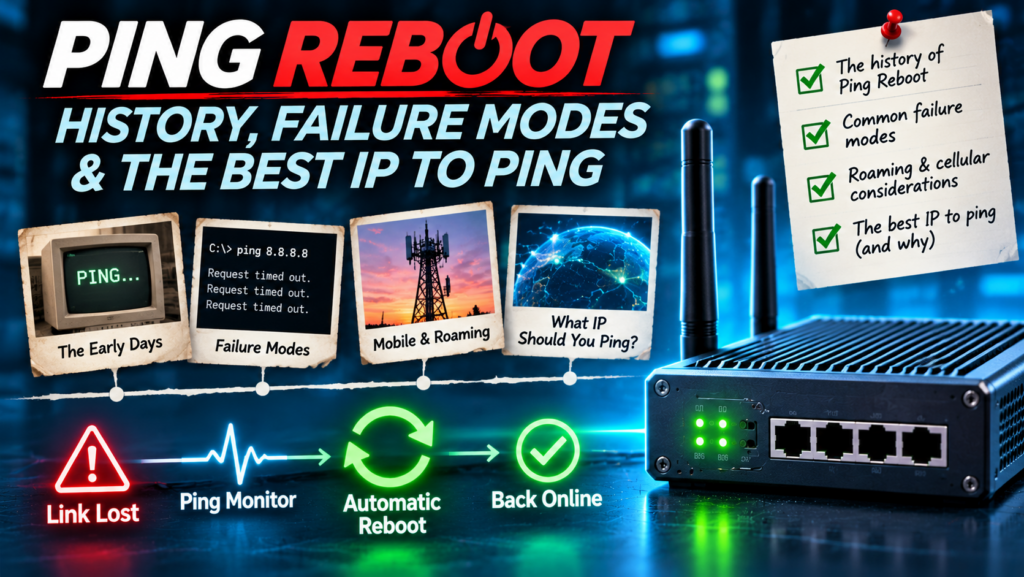
Every unattended router has to answer one question, over and over, for its entire working life: am I actually connected?
Ping reboot is the oldest, cheapest and most widely deployed way of answering it. Send a small packet to a known address. If an answer comes back, carry on. If it doesn’t, try again. If it still doesn’t, do something about it.
I have spent more than 25 years in UK telecoms and M2M connectivity: BT in the late 1990s, founding Westlake in 2001, years as Teltonika’s leading UK reseller, and launching the ProRoute router brand in 2013. That meant seeing the same problem from both sides, as someone building routers and as someone selling another manufacturer’s routers into the same installations. In that time I have probably explained ping reboot to more CCTV installers, integrators, energy engineers and IoT customers than almost anyone in the UK. I have also seen it go wrong in every way it can go wrong.
This is the long version: where ping reboot came from, why cellular routers needed it so badly, where it is still used, how it fails, what I call the ping reboot cycle of death, and which IP addresses you should and shouldn’t be pinging, with the settings I use on the three platforms I see most. If you only want the basics, start with What is Ping Reboot? and come back. Running through all of it is one principle I have never moved away from: keep it simple. But simple has to mean correct, not careless.
Ping reboot at a glance
| What it is | An automatic connection check: a router pings a chosen IP address at intervals and takes a recovery action after a set number of consecutive failures. |
| Also called | Ping watchdog, Cell ICMP Check, ICMP check, connection check, health check, Ping/Wget Reboot. |
| Built on | The ping utility, written by Mike Muuss in December 1983, and the much older idea of the watchdog timer. |
| Why it matters | A cellular router can look connected (signal, registration, IP address) while passing no data at all. Ping reboot detects that and recovers without a site visit. |
| Most common mistake | Pinging an address the router cannot reach by design, such as 8.8.8.8 on a closed private APN, which causes an endless reboot loop. |
| Golden rule | Ping something that proves the router can do the job it was installed for, and choose the least disruptive recovery action that fixes the fault. |
What ping reboot actually does
Strip away the vendor terminology and every ping reboot implementation does the same five things:
- Probe. Send an ICMP echo request to a nominated host.
- Wait. Allow a timeout for the echo reply to come back.
- Count. If no reply arrives, increment a failure counter. If a reply does arrive, reset the counter.
- Decide. When the counter reaches a threshold, declare the connection failed.
- Act. Restart the mobile connection, restart the modem, reboot the router, switch SIM, send an alert, or some combination.
On a Linux command line, the probe is just this:
ping -c 1 -W 5 8.8.8.8That is the whole trick. What makes ping reboot interesting is not the ping. It is everything around it: which address you ping, through which interface, how many failures you tolerate, and what you do when the threshold is reached. Get those four things right and ping reboot is one of the most useful features a remote router has. Get them wrong and it becomes the fault.
Why it was needed: always available, not always on
When I started selling 3G routers into CCTV and telemetry, the explanation I gave customers more than any other was this: mobile data is not an always-on connection. It is an always-available one.
A fixed line feels permanent. A cellular data session is something the router has to ask for, and the network can take it away. Sessions get dropped when cells are congested, when the network is maintained, when a device moves between cells, when an idle session times out, or simply because something in the core network decides to tidy up. Most of the time the router notices and reconnects.
The problem is the times it doesn’t notice. I call it the zombie connection. The router has signal. The modem is registered. The data session appears to be up and the router may even show an IP address. Every status page says connected. But no traffic passes.
If you are sitting next to that router, the fix takes ten seconds: power-cycle it. But nobody buys an industrial cellular router to sit next to it. They are in CCTV columns, car park machines, wind and solar sites, kiosks, digital signs and pump stations, often a long drive and a locked gate away. Sending an engineer to switch something off and on again is the most expensive way there is to fix a connectivity fault.
Ping reboot replaced that drive with a packet. Instead of asking the modem are you registered?, the router asks a much better question: can I actually get traffic through? If the answer is no, it fixes itself.
A short history of ping reboot
1983: ping
Ping itself was written by Mike Muuss at the US Army’s Ballistic Research Laboratory in December 1983. He named it after sonar: send out a pulse and listen for the echo. It was a diagnostic tool for engineers, and it became one of the most used commands in networking.
The watchdog idea
Long before the internet, embedded systems used watchdog timers: if the software stopped responding, a timer ran out and the hardware reset the device. Ping reboot is that same idea pointed outwards. A watchdog asks am I still running? Ping reboot asks can I still reach the thing I am supposed to reach?
Mid-2000s: the ping watchdog
By the mid-2000s, the two ideas had merged in network equipment. MikroTik’s RouterOS 2.9 documentation, from around 2006, already described a ping watchdog: set a watch address and the router reboots if six consecutive pings fail. The same year, a US patent application titled “Ethernet Ping Watchdog” described a box that power-cycled a DSL or cable modem when pings to a Google server failed. It was abandoned in 2009 without being granted. Whatever the paperwork said, the idea was already out in the world.
Late 2000s: industrial cellular routers
Cellular routers needed this more than anything else, and it showed up early. Teltonika’s first-generation RUT100-series 3G routers, documented from around 2009, had a Ping Reboot setting under their Tools menu. Its 2012 RUT500 manual described PING Reboot, disabled by default, with a pointed warning: check that your chosen server answers pings first, or the router will keep rebooting. That warning is the cycle of death, documented by the manufacturer more than a decade ago.
2013 onwards: making it a default habit
When I launched the ProRoute H685 and H820 4G routers in 2013, ping reboot already existed. What was missing was understanding. On too many routers it sat in a sub-menu, switched off, waiting for an installer who knew it was there. Most didn’t.
So with ProRoute we called it Cell ICMP Check, pre-filled it with two Google DNS addresses, and made enabling it a matter of ticking a box. Then we talked about it relentlessly: in support guides, in setup videos, on product pages and on almost every support call. The router could restart just the radio module or the whole router, and we told people which to use and why.
Over the following years, the question customers asked changed. It stopped being what is ping reboot? and became does this router have ping reboot?, asked of every router, whichever brand was on the box. Today it is a standard expectation for anyone deploying cellular connectivity in the UK, and I am proud to have played a part in getting it there.
KISS: why the simplest fix is usually the right one
Keep It Simple, Stupid has been my design philosophy for routers, configurations and connectivity proposals for as long as I have been doing this. Ping reboot is the perfect example of why.
There are far more sophisticated ways to monitor a connection: cloud platforms, SNMP, synthetic transactions, AI-driven anomaly detection. All of them are valuable. But every one has the same weakness. A cloud platform cannot tell a router to fix its internet connection, because the internet connection is the thing that has failed. The recovery logic has to live on the router itself, and it has to work with nothing but the router and the network in front of it.
Ping reboot works from inside the failure. It has no dependencies beyond an IP stack, and it costs almost nothing: one IPv4 ping with the usual 56-byte payload is 84 bytes each way, so checking one host every five minutes adds about 1.5 MB a month (the ICMP data calculator works it out for your settings). It runs on the cheapest hardware, and a field engineer can understand it in thirty seconds. That is why it has survived 3G, 4G and 5G while far cleverer ideas have come and gone.
But KISS has a second half that people forget. Simple is not the same as naive. The simplest configuration is the one that is correct for the network the router is actually on, not the one copied from a forum post. Pinging 8.8.8.8 is simple. On a closed private APN, it is also wrong, and the rest of this article is largely about the difference.
Where ping reboot is still used today
More than ever, because the number of unattended devices has exploded. Ping reboot, or something built on the same idea, is doing its job right now in:
- CCTV and security: remote cameras, temporary site towers, ANPR, alarm signalling.
- Energy: solar farms, wind turbines, battery energy storage, substation monitoring, EV chargers.
- Retail and public spaces: kiosks, digital signage, payment terminals, car park machines, vending.
- Utilities and telemetry: pump stations, flow and level monitoring, environmental sensors.
- Vehicles and temporary sites: construction cabins, events, buses and fleet connectivity.
- Fixed broadband and failover: where the Ethernet link stays up but the service behind it has died.
- VPNs: keepalive pings across a tunnel to detect a dead VPN when the underlying connection still works.
It is not only cellular kit. Consumer and SMB gateways do the same thing under different names: Ubiquiti UniFi gateways, for example, use Google DNS and Cloudflare DNS as default internet verification targets to decide when to fail over.
Is it needed on fixed broadband and leased lines?
Yes, but the recovery action changes. On DSL, FTTP or cable, the principle is identical: link state is not service state. An Ethernet port showing link tells you nothing about whether the internet works beyond the ONT. Restarting the router may restore a stuck PPP or DHCP session.
On a leased line, rebooting your own router will not mend a fibre break miles away. There, the ping check should drive failover, switching traffic to a 4G or 5G backup, rather than a reboot. Same probe, different decision.
What about devices that aren’t on the internet?
This is where people get confused. A router on a closed private network still needs a health check. It just has a different definition of healthy. It doesn’t care whether Google is reachable. It cares whether it can reach the SCADA server, the NVR, the VPN concentrator or the private APN gateway it exists to talk to. Ping reboot on a closed network is just as valuable as on the open internet, as long as the target lives inside that network.
How ping reboot fails
The weakness of ping reboot is built into its design: it treats no reply from one address as my connection is broken. Those are not the same statement. Here are the ways they come apart, most of which I have seen in the field.
1. The target itself goes down
People choose 8.8.8.8 and 1.1.1.1 because they assume they are always up. They nearly always are. Nearly is not always.
On 14 July 2025, Cloudflare’s 1.1.1.1 resolver was unavailable worldwide for 62 minutes, from 21:52 to 22:54 UTC. The cause was an internal configuration error that withdrew the routes to the 1.1.1.1 prefixes from Cloudflare’s data centres. For an hour, every router in the world pinging only 1.1.1.1 believed its own connection had failed. Every one configured to reboot on that single target would have rebooted, reconnected perfectly, failed the check again and rebooted again, until Cloudflare fixed its problem. The routers were fine. The yardstick was broken.
2. Routing breaks between you and the target
The internet is held together by BGP, and BGP can be wrong. On 27 June 2024, a Brazilian network announced a more specific route to 1.1.1.1 than Cloudflare’s own, and at the same time another network leaked Cloudflare’s route upstream. 1.1.1.1 became unreachable or degraded from around 300 networks in 70 countries. Nothing was wrong with the routers on those networks, or with Cloudflare’s resolver. The path between them was broken.
3. The target chooses not to answer
8.8.8.8 is a DNS service, not a ping service. Google does not block ICMP to it, but it does rate-limit, and it may deprioritise or simply not answer every echo request when ICMP volumes are high. A Google engineer has been explicit that answering pings is best effort, not a service with any guarantee. So a ping to 8.8.8.8 can fail while your connection and Google’s DNS are both working perfectly. With a retry count of one or two, that is a reboot for nothing.
4. Something in the path has claimed the address
Before Cloudflare launched its resolver in 2018, 1.1.1.1 was used as junk address space by all sorts of equipment. Cisco wireless LAN controllers used it for captive portals, some ISPs had internal routes to it, and some routers used it for their own configuration pages. Cloudflare spent a lot of effort cleaning this up, but legacy kit, hotel and venue Wi-Fi, and odd corporate networks still exist. On those paths, your ping to 1.1.1.1 may be answered, or swallowed, by something that is not Cloudflare at all.
5. The network was never meant to reach it
This is the big one in IoT. Many M2M deployments use private APNs and private IP SIMs (if that distinction is new to you, What Is an IoT SIM Card? covers it). Some private APNs give controlled internet breakout, in which case 8.8.8.8 may work. Many deliberately do not. On a closed APN, 8.8.8.8 and 1.1.1.1 are unreachable by design, permanently. Point ping reboot at them and the router has no possible way to pass the test. I cover this in detail in Ping Reboot on Private IP SIM Cards: What You Need to Know.
6. The fault is not one a reboot can fix
Ping reboot assumes a restart will help. Sometimes it can’t:
- The SIM has been barred, suspended or has hit its data cap.
- There is no coverage, or the local mast is down.
- The APN settings are wrong.
- A roaming SIM is stuck on a network that will not pass data, which I explain in Why Roaming SIM Cards Get Stuck, and Ping Reboot Won’t Help and Why Ping Reboot Is Not the Whole Answer to Roaming SIM Disconnection Issues.
In each of these cases, rebooting fixes nothing and generates a lot of reattach signalling while it fails.
7. The ping passes but the service is dead
The opposite failure. The router can ping 8.8.8.8 happily, so ping reboot reports healthy, but the VPN tunnel is down, DNS resolution has failed, or the application server is unreachable. Everything looks fine and nothing works. A ping to a public address only proves the router can reach that public address. If the job is to reach something else, test that something else.
The ping reboot cycle of death
Put failure mode 5 together with an action of reboot and you get the most common self-inflicted outage in M2M. I call it the ping reboot cycle of death.
The router boots and connects perfectly. It starts pinging an address it can never reach. The retries fail, because they must. The router reboots, dropping a perfectly healthy connection. It comes back, connects perfectly, and the whole thing starts again. Indefinitely.
This is not a theoretical risk. Manufacturers have documented it for years. Teltonika’s 2012 RUT500 manual warned that if your chosen server does not answer pings, the router keeps rebooting. MikroTik’s documentation still spells it out: with default settings, a router whose watch address is unreachable will reboot roughly every six minutes.
Why the cycle of death is so damaging
- The site is never stable. The link is up for minutes at a time, so VPNs barely establish, video streams drop, and data uploads fail halfway through.
- It looks like a network fault. From the outside it looks like flaky coverage, so people blame the SIM, the operator or the antenna, and swap perfectly good hardware.
- The evidence disappears. On many routers the system log lives in RAM and is wiped at every reboot, so the one record that would explain the problem is destroyed by the problem.
- It scales. Push one bad configuration template to a fleet and you have hundreds of routers in the loop at once.
- It hides inside “working”. A router that reboots every six minutes still shows as online most of the time on a dashboard.
How to break the cycle
- Test the target before you enable the rule. Ping it manually from the router’s own diagnostics page, through the interface you intend to monitor. The settings builder flags targets that cannot work on your network type.
- On private APNs, ping inside the network. Use the private gateway, your VPN endpoint, or a health-check address your SIM provider gives you.
- Make the first action a gentle one. Restart the mobile connection or the modem before rebooting the whole router.
- Use sensible retries and intervals. One missed ping is not an outage. The reboot loop calculator shows how often a bad target would reboot your router.
- Cap or alert. Where your router supports it, limit repeated reboots or send an SMS or alert rather than rebooting endlessly.
- Keep a way in. Make sure SMS reboot, a management VPN or a remote management platform still works if the configuration is wrong.
What are the best IP addresses to ping?
This is the question I am asked most, and the honest answer is: the best address to ping is the one that proves your router can do its job. For a router whose job is internet access, a public anycast resolver is a reasonable choice. For anything else, it is the wrong yardstick. With that said, here are the options. The ping target chooser lists them with a quick reachability check from your own browser.
Public addresses for internet-connected routers
| Operator | Primary | Secondary | Notes |
|---|---|---|---|
| Google Public DNS | 8.8.8.8 | 8.8.4.4 | Huge global anycast network. ICMP is best effort and rate-limited, so allow retries. |
| Cloudflare | 1.1.1.1 | 1.0.0.1 | Fast and widely available. Global outage in July 2025; avoid on legacy networks where 1.1.1.1 may be squatted. |
| Quad9 | 9.9.9.9 | 149.112.112.112 | Independent, not-for-profit anycast service. A good choice for a second, unrelated target. |
| Cisco OpenDNS | 208.67.222.222 | 208.67.220.220 | Another independent operator, useful as a third opinion. |
The rules I use for choosing ping targets
- Use two operators, not two addresses. In the early ProRoute days we pre-filled 8.8.8.8 and 8.8.4.4. With hindsight, those are two doors into the same building. Pairing Google with Quad9, or Google with Cloudflare, means one company’s bad day can’t reboot your fleet.
- Only act when both targets fail. Check how your router combines multiple hosts. On some routers, separate rules act independently, so two rules each pinging a different host means either one failing can trigger its action. That is the opposite of what you want.
- Use IP addresses, not hostnames. A hostname adds a DNS dependency, so a DNS problem looks like a connection failure.
- Prefer purpose-built targets where they exist. Some SIM and network providers publish ping servers designed for exactly this. The mdex public ping server, for example, is recommended for Wireless Logic SIMs with internet access. Your own server, which you control and monitor, is even better.
- On private networks, ping inside the network. The private APN gateway, the VPN concentrator, the head-end server. Never a public address the network can’t reach.
- Bind the check to the right interface. On a dual-WAN router, make sure the ping really goes out over the mobile connection you are trying to test. Teltonika RutOS, for example, lets you choose to ping from the mobile interface rather than whichever interface is currently the main WAN.
- Test it before you trust it. Change the target to something unreachable, watch the router take the configured action, then put it back.
My KISS configuration for a typical cellular router
If you want the short version, this is where I start for an unattended 4G or 5G router on an internet-connected SIM. Adjust it to your hardware and your application:
- Target: two independent public operators, for example
8.8.8.8and9.9.9.9, tested by hand first. - Interface: the mobile WAN you are protecting.
- Interval: every 5 minutes.
- Retries: 3 to 5 consecutive failures before acting.
- First action: restart the mobile connection.
- Escalation: a second, slower rule that reboots the router if the connection restart hasn’t worked.
- Safety net: SMS reboot on a SIM that supports SMS, plus the hardware watchdog.
On a closed private APN, the only change that matters is the target: swap the public addresses for an address inside your private network. On a VPN-dependent site, add a check across the tunnel itself, and restart the VPN before you restart anything else. For a full walkthrough on current Teltonika firmware, see Teltonika Router Auto-Reboot and Resilience Features and the RUT200 Ping Reboot Guide.
Where to set it on the three platforms I see most
Teltonika RutOS. System, Maintenance, Auto Reboot, then edit the Ping/Wget Reboot rule. Set Type to Ping and the action to Restart mobile connection. RutOS counts retries after the first attempt, so for three failures set the retry count to 2. On dual-WAN models, set the interface to ping from mobile.
ProRoute. Internet Settings, Cell ICMP Check. Tick Enable, fill in Host1 and Host2, tick Reconnect, and set Action when failed to Restart module. Use Restart router only if module restarts don’t clear the fault.
MikroTik RouterOS. The watchdog sends six pings spread across ping-timeout and reboots only if all six fail. It can only reboot, and it watches a single address:
/system watchdog set watch-address=8.8.8.8 ping-start-after-boot=5m ping-timeout=15mIf you would rather not work it out by hand, the ping reboot settings builder produces these values for Teltonika, ProRoute and MikroTik, matched to your SIM type, and warns you before you build a cycle of death. The recovery time calculator shows how long a stalled link stays down with your interval and retry count.
That is KISS in practice: a small number of settings, each one chosen for a reason you can explain.
Why ping reboot is still not on by default
I am often asked why, if ping reboot is so important, manufacturers don’t simply switch it on out of the box. Current Teltonika firmware ships with a ping reboot rule already filled in with 8.8.8.8, but disabled.
The reason is everything above. The manufacturer doesn’t know whether your SIM has internet breakout, whether you are on a closed APN, whether you are on Ethernet or Wi-Fi WAN, or what your router is actually for. A default that is correct for a consumer data SIM would put every closed-network router straight into the cycle of death. Leaving it off and making it easy to turn on is the safer default. The responsibility for choosing the right target sits with whoever installs the router, which is exactly why the education matters so much.
Ping reboot in 2026 and beyond
The fundamentals haven’t changed in forty years, but the way they are applied has. Modern routers can restart the data session instead of the whole device, ping from a specific SIM, use HTTP checks instead of ICMP, send an SMS instead of rebooting, and report every recovery to a management platform. Wget-style checks test DNS, TCP and HTTP in one go, catching the cases where ping passes but the service is dead.
The direction of travel is from ping and reboot to connection intelligence: work out which layer has failed, take the least disruptive action that fixes it, escalate only when necessary, and log what happened so a human can see the pattern later. A router that quietly recovers itself three times a night is telling you something about the network, if you are listening.
But I’d bet on the simple version surviving all of that, for the same reason it has survived so far. When everything else is down, the router can still send a packet and listen for an echo. The trick has always been choosing what to listen for.
Frequently asked questions
Who invented ping reboot?
No single person. Ping was written by Mike Muuss in 1983, and the watchdog timer is older still. Ping-based watchdogs appeared in network equipment in the mid-2000s, including MikroTik’s RouterOS, and early industrial cellular routers from manufacturers such as Teltonika. In the UK M2M market, Nick Appleby’s ProRoute brand helped make ping reboot, sold as Cell ICMP Check, a standard expectation for cellular routers from 2013 onwards.
Is 8.8.8.8 a good address for ping reboot?
It is acceptable for routers with genuine internet access, but not ideal on its own. Google treats ICMP to 8.8.8.8 as best effort and rate-limits it, so occasional dropped pings are normal. Pair it with a target from a different operator, such as Quad9 on 9.9.9.9, allow several retries, and never use it on a private APN without internet breakout.
Why does my router keep rebooting every few minutes?
The most likely cause is the ping reboot cycle of death: the router is pinging an address it cannot reach, usually a public DNS server on a SIM or network with no internet access. Test the ping target manually from the router, and change it to an address inside your private network if necessary.
Do I need ping reboot on a private IP SIM?
Yes, arguably more than on a public one, but the target must be inside the private network, such as the private APN gateway or your VPN head end. Public addresses like 8.8.8.8 and 1.1.1.1 are usually unreachable on closed APNs.
Is ping reboot useful on fixed broadband or leased lines?
Yes. A connected Ethernet port does not prove the service behind it works. On broadband, a restart can clear a stuck PPP or DHCP session. On a leased line, the ping check is better used to trigger failover to a 4G or 5G backup than to reboot the router.
What is the best IP address to ping?
The one that proves your router can do its job. For an internet SIM, use two public resolvers from different operators, such as 8.8.8.8 (Google) and 9.9.9.9 (Quad9). On a closed private APN, use an address inside the private network, such as the APN gateway or your VPN head end.
How much data does ping reboot use?
Very little. One IPv4 ping with the default 56-byte payload is 84 bytes each way, 168 bytes in total. Pinging one host every five minutes is about 1.5 MB a month, before any rounding by the mobile operator.
What is the difference between ping reboot and a watchdog?
A hardware or software watchdog checks that the router itself is still running. Ping reboot checks that a network path is still working. A frozen router can’t run a ping check, and a healthy router with a dead connection won’t trip a watchdog, so robust deployments use both.
Sources and further reading
- Ping (networking utility), Wikipedia
- MikroTik RouterOS 2.9 watchdog documentation
- MikroTik RouterOS 7 watchdog documentation
- US20080091819A1 Ethernet Ping Watchdog, Google Patents
- Teltonika RUT100 Ping Reboot manual page
- Teltonika RUT500 manual: PING Reboot
- Teltonika RUT200 Maintenance (Ping/Wget Reboot), Teltonika Networks Wiki
- ProRoute H685 and H820 APN and Cell ICMP Check guide
- Cloudflare 1.1.1.1 incident on July 14, 2025
- Cloudflare 1.1.1.1 incident on June 27, 2024
- Fixing reachability to 1.1.1.1, globally, Cloudflare
- About Quad9
- Setting up Ping Reboot, Wireless Logic Help Centre
- Teltonika Networks Wiki: Auto Reboot (ping interface options)
- Ping Reboot (Cell ICMP Check) on ProRoute and Teltonika routers
- Google Public DNS on ICMP rate limiting (quoted statement)
- Ubiquiti SLA monitoring recommendations, Neptune