Why Roaming SIM Cards Get Stuck – and Ping Reboot Won’t Help
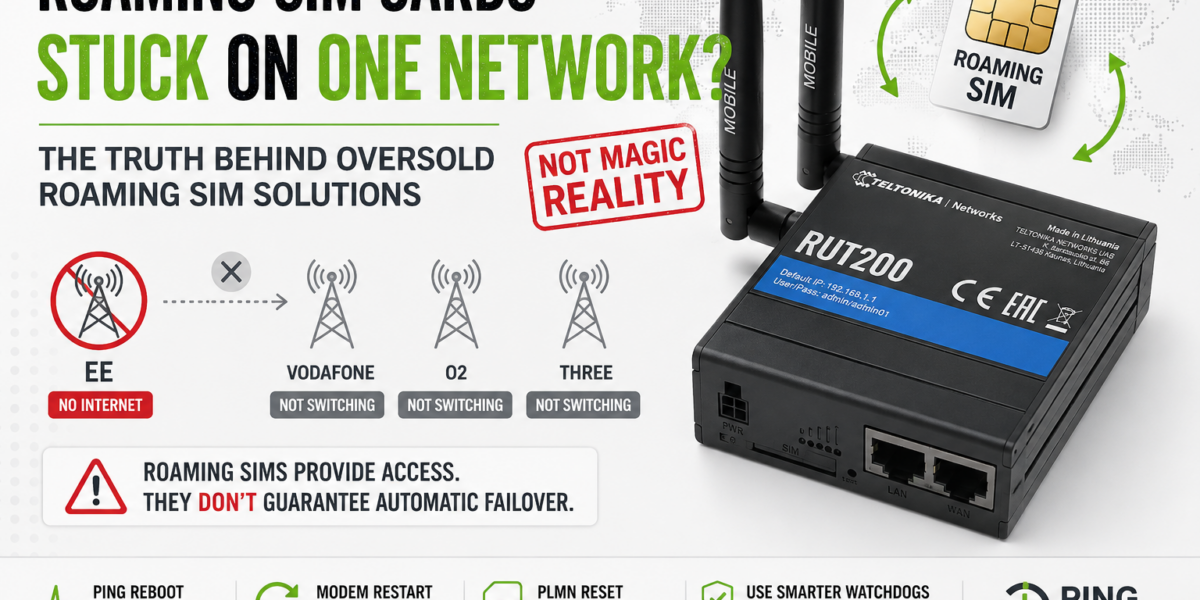
Why Roaming SIM Cards and Multi-Network SIMs Get Stuck – and Why Ping Reboot Won’t Save You
Roaming and multi-network SIM cards are sold as automatic failover solutions. Ping reboot is sold as the watchdog that keeps routers online. Used together, they still leave a specific and common failure mode completely unaddressed.
You have configured ping reboot. The router checks 8.8.8.8 every five minutes. If the pings fail, it restarts the mobile interface. If it still fails, it reboots the whole device. That should be enough to keep the connection alive, right?
For most failure modes, yes. For one specific and frustratingly common failure mode, no – and it is worth understanding exactly why, because it affects any deployment using a roaming or multi-network SIM card.
The failure mode is this: the modem is registered on a mobile network that still has radio signal, but whose data path is broken. From the modem’s point of view, nothing is wrong. From ping reboot’s point of view, a lot is wrong. But the response ping reboot prescribes – restart the interface, reboot the router – keeps returning the modem to the same broken network, because that network still has signal and is still stored as the last-known registered PLMN.
To understand why, you need to understand how mobile network selection actually works at the modem level.
Two Different Layers: IP Connectivity and PLMN Registration
A cellular router maintains several distinct states that are easy to conflate because they are usually all healthy at the same time. The diagram below shows the stack – and where ping reboot reaches versus where the problem actually lives:
Ping reboot monitors this
Problem lives here
Ping reboot monitors layer 5. PLMN selection is layer 2. When layer 5 fails, ping reboot takes action – but restarting the interface or rebooting the device does not reach layer 2. When the modem reinitialises, it looks for its RPLMN (the last network it was registered on), finds it available at the radio layer, and registers on it again. Same network. Same broken data path.
Signal bars showing and ping reboot triggering repeatedly is a diagnostic sign of this exact problem. The modem can see the network. The network cannot deliver data. Ping reboot keeps cycling the router back to the same place.
Why the Modem Returns to the Same Network
This is not a firmware bug. It is specified behaviour under 3GPP TS 23.122, the standard governing PLMN selection for all mobile devices.
At switch-on, or following recovery from loss of coverage, the modem first attempts to register on the RPLMN – the network stored as the last successful registration. If that network is available at the radio layer, the modem registers there. It does not scan for alternatives. It does not assess data conditions. It goes back to what it knows.
This is intentional. Frequent PLMN reselection wastes power and causes unnecessary disruption in handsets. For smartphones in everyday use, it is the right default. For an unattended industrial router on a roaming SIM in a location with marginal coverage, it means the device can stay stuck on a failing network indefinitely.
The modem only initiates a PLMN reselection if the current PLMN becomes completely unavailable – radio signal drops below minimum threshold. A network with degraded data but present signal looks fine to the modem. It has no visibility into whether IP traffic is actually flowing.
When Ping Reboot Helps – and When It Doesn’t
Complete network outage
If the PLMN disappears entirely – no signal – the modem detaches. On reinitialisation the RPLMN is unavailable, so it selects a different network. Ping reboot has accidentally helped.
Crashed APN / stale bearer
If the data bearer has become stale or the interface has crashed, restarting it re-establishes the APN session on the same network. This is the scenario ping reboot was designed for.
Partial data failure with signal present
Network has signal. Registration looks good. But backhaul is impaired. Pings fail. Ping reboot cycles. Modem returns to the same network. Nothing improves.
Slow-but-alive connection
The network is degraded but pings succeed occasionally. Ping reboot never triggers. The connection appears live but is effectively useless for the application.
What Actually Reaches the PLMN Layer on Teltonika Routers
RutOS includes several mechanisms that operate closer to the modem level. These are the relevant ones:
-
1Low Signal Reconnect
Found under Network > Mobile on most LTE and 5G models. Teltonika describes it as “modem operator connection resetting based on signal strength” – it forces a modem-level reconnection when signal drops below a threshold, not just an IP interface restart. More likely to trigger actual PLMN reselection than a router reboot. Configure alongside ping reboot, not instead of it.
-
2Operator Whitelist / Blacklist
If you know which networks are available at a site and which perform reliably, configure an operator whitelist. This prevents the modem attaching to a known-problematic network in the first place. Requires a site survey to identify MCC/MNC codes – but once done, it is the cleanest preventive fix.
-
3Manual Network Scan
Forcing a manual operator scan via the WebUI or CLI detaches the modem and performs a fresh PLMN scan. Effective as a one-off fix but not suitable for unattended deployments. Useful during commissioning to identify available networks for whitelisting.
-
4AT Commands via CLI (Advanced)
SSH access allows direct modem interaction. Sending AT+CFUN=0 then AT+CFUN=1 forces a full radio reinitialisation and typically triggers fresh PLMN selection. Can be scripted as a scheduled task or watchdog action. Test thoroughly before deploying.
-
5Dual SIM with SIM Switch Rules
On dual-SIM models (RUT241, RUTX11, RUTM52, RUTX50), configure SIM switch rules based on ping failure or signal threshold. When SIM1 fails, the router switches to SIM2 on a different MNO. This sidesteps the PLMN-stuck problem entirely – SIM2 has no shared RPLMN state with SIM1.
The Roaming SIM Myth That Makes This Worse
The PLMN-stuck problem is made significantly worse by how roaming SIM cards are sold. The pitch is usually some version of: “If one network has a problem, the SIM automatically switches to another.”
For consumer devices with the right SIM and conditions, this can appear to work. For an industrial router on an unattended deployment, the claim deserves much more scrutiny.
A roaming SIM provides access to multiple networks. It does not provide automatic, application-aware failover. The modem decides which PLMN to use based on 3GPP network selection rules – priority lists on the SIM, radio signal availability, and RPLMN state. None of those inputs includes “is data actually flowing?”
Additionally, Steering of Roaming means commercial agreements between the SIM provider and mobile operators can push the modem toward specific networks regardless of conditions at your site. A SIM that “automatically switches” may systematically prefer one UK operator because of a wholesale agreement – even if that operator has poor backhaul in your area.
Multi-network SIMs are a step forward. They hold multiple independent network identities with separate operator relationships. But switching between IMSIs requires a modem stack restart – typically 30 to 90 seconds of downtime – and the trigger logic varies significantly between providers. Not all are steering-immune, and not all use a universal APN that survives an IMSI switch without reconfiguration.
Before assuming your SIM will handle failover automatically, ask three questions:
(1) Is it steering-immune? (2) Does it use a universal APN? (3) What triggers a network switch, and how long does it take? The answers will tell you whether you are buying genuine resilience or network access with a marketing claim attached.
Where eUICC and SGP.32 Fit In
For longer-lifecycle deployments and larger fleets, eUICC technology changes the model more fundamentally. An eUICC can hold multiple full operator profiles and switch between them remotely, over the air, without physical access to the device.
The GSMA SGP.32 standard – published in 2023 and designed specifically for IoT devices without a user interface – defines how this works at scale. Rather than the modem’s PLMN selection rules deciding which network to use, the platform operator can push a profile change to an entire fleet remotely. Not real-time automatic failover – but for a 100-site deployment where multiple sites are persistently on a failing network, remote profile updates without a site visit is a significant capability.
The hybrid approach – multi-IMSI as the initial bootstrap profile on an eUICC, with SGP.32-based management for longer-term changes – is currently the most practical architecture for new deployments that need both immediate resilience and long-term operator flexibility.
For the full technical picture – PLMN standards, multi-IMSI vs eUICC, and all the solutions compared – the IoTPortal investigation covers this in depth: Do Roaming SIM Cards Really Switch Networks Automatically?
What to Take Away
- Ping reboot monitors IP connectivity. PLMN selection happens two layers below that. They are separate problems requiring separate tools.
- When a modem is on a failing network with radio signal still present, ping reboot will cycle the router but return it to the same network every time. The RPLMN takes priority at reinitialisation.
- Low Signal Reconnect operates at the modem level and is the more appropriate tool for signal-degradation scenarios. Configure it alongside ping reboot on every deployment.
- Operator whitelist / blacklist is the cleanest preventive fix once you know the site’s network landscape from a survey.
- On dual-SIM routers, SIM switch rules sidestep the problem entirely. SIM2 on a different MNO has no shared PLMN state with SIM1.
- Roaming SIMs provide network access, not automatic intelligent failover. Multi-network SIMs are better but quality varies. Ask specific questions before assuming the SIM will save you.
- For fleets and long-lifecycle IoT, eUICC with SGP.32 is the architecture to understand now – even if full ecosystem adoption is still maturing.